Your Blog Probably Doesn't Need a Database
After migrating my personal site, I explore why most blogs don't need database-backed solutions and how we often overcomplicate our technical stack. Git-based CMSs like Tina and Decap deserve more attention
January 28, 2026
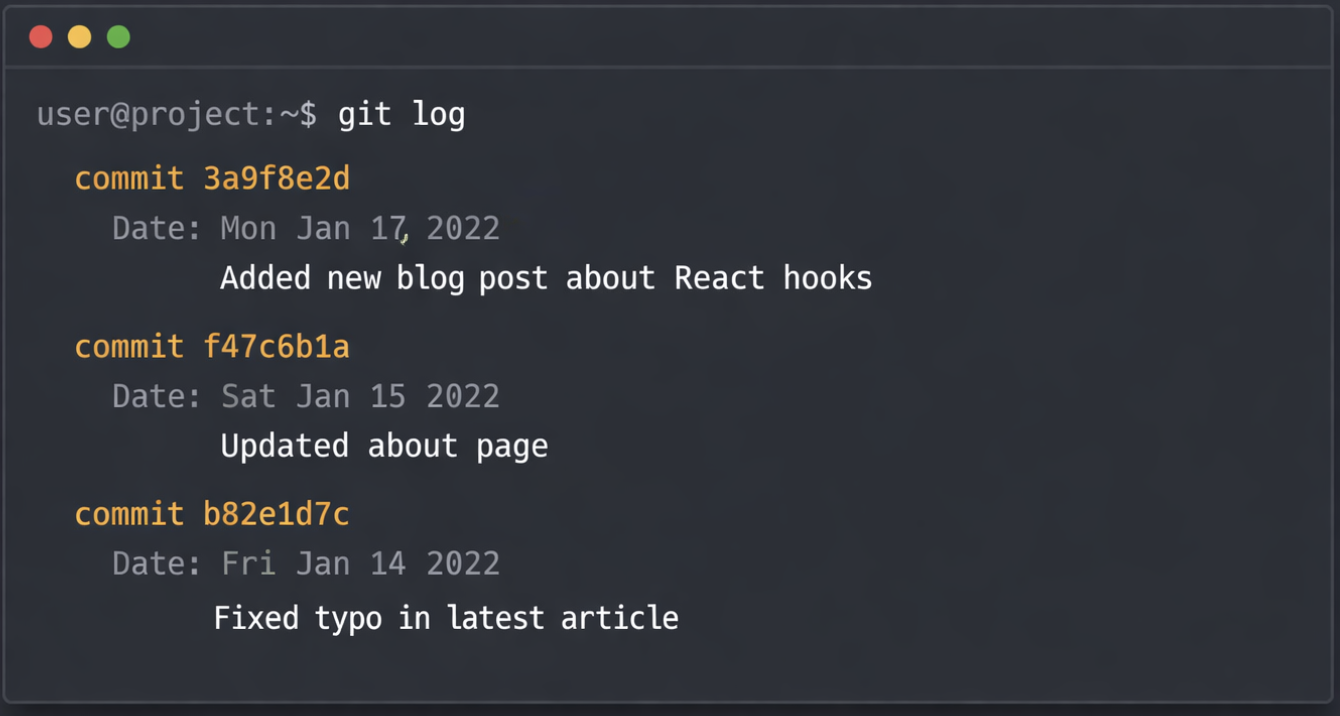
Last weekend, I migrated my personal website from Gatsby 2 + Netlify CMS to Next.js + Tina CMS (Gatsby 2... I know, I'm showing my age 😅). The entire process took a weekend, and there were zero visual changes to the site. But it reminded me how much I value the Git-based CMS approach.
This got me thinking: why don't Git-based CMSs get more love?
Despite having solid players in the space - Tina CMS, Netlify CMS (now Decap CMS), and newer entrants like Keystatic - most developers still default to database-backed headless CMSs like Contentful, Sanity, or Strapi when building content sites.
Why do we automatically reach for database-backed solutions when building content sites?
The Default Pattern (and Why It's Overkill)
Here's what most developers do when building a blog or personal site:
- Choose a headless CMS (Contentful, Sanity, Strapi)
- Set up a separate database
- Configure API endpoints
- Build a content management interface
- Wire up your frontend to fetch from the API
- Deploy and maintain both systems
For a personal blog or small content site, this is like using a forklift to move a houseplant.
You now have:
- A database to host and maintain
- API authentication to manage
- Two systems that need to stay in sync
- Additional points of failure
- Increased deployment complexity
- Ongoing hosting costs for the CMS infrastructure
The Alternative: Git-Based CMSs
Git-based CMSs like Tina & Decap take a different approach. Your content lives as Markdown files in your Git repository, right alongside your code.
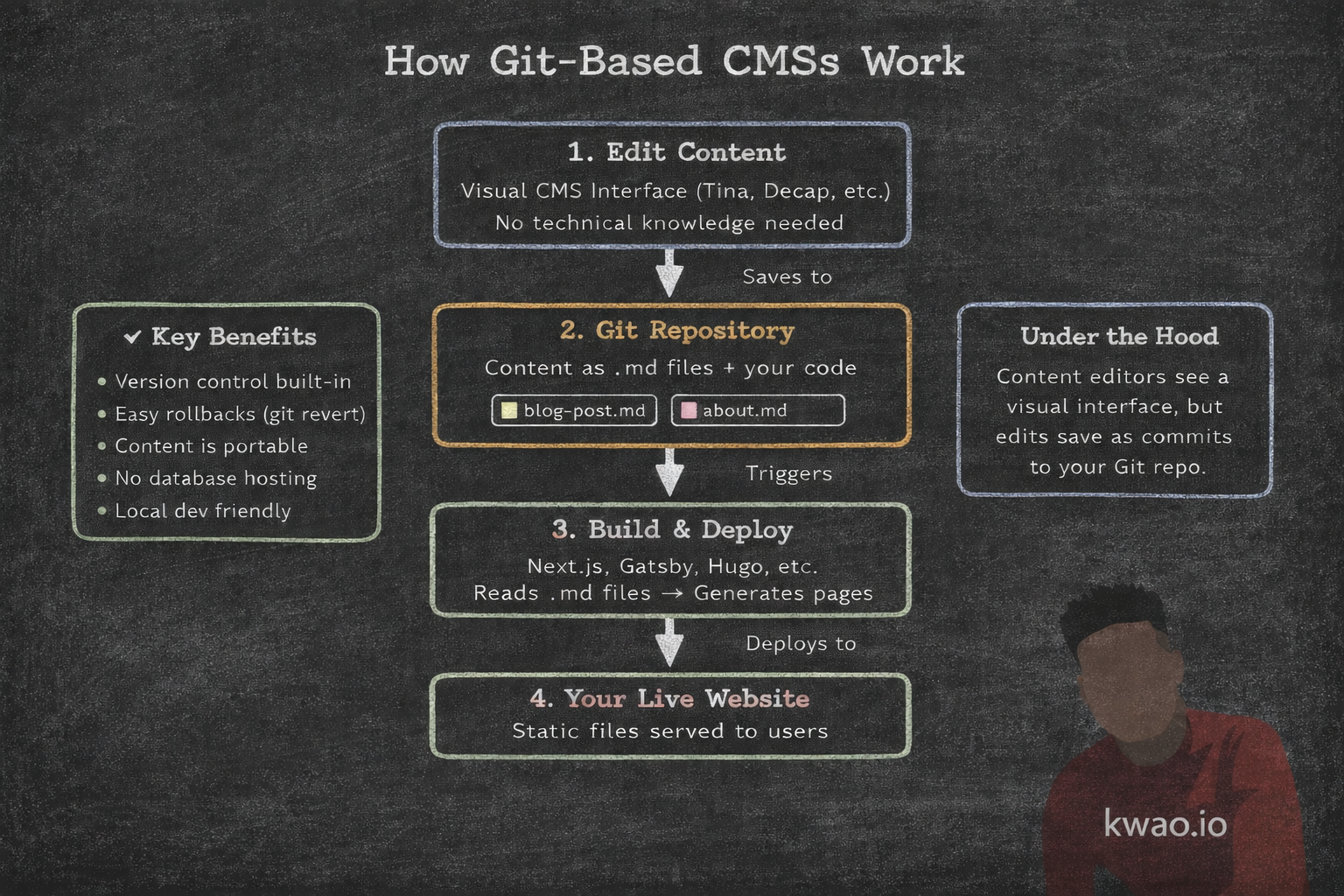
Here's what this actually looks like:
- Content editors use a visual CMS interface (Tina's is excellent)
- Edits save as Markdown files to your Git repo
- Your site builds from those files
- Version control is built-in (it's just Git)
- Rollbacks are trivial (git revert)
- No separate database or API layer
My Experience: Gatsby → Next.js + Tina
The migration took a weekend. Since both Netlify CMS and Tina are Git-based, my content was already in Markdown files in my repository - no content migration needed.
What changed:
- Upgraded from Gatsby 2 to Next.js (modern framework)
- Swapped Netlify CMS for Tina (better editing experience)
- Updated my CMS configuration
What stayed the same:
- Every visual element of the site
- All my content
- My Git-based workflow
What improved:
- Live preview editing: Tina's real-time visual editor is a significant upgrade from Netlify CMS's preview workflow
What I kept (and still love):
- Local development: Clone and run. No API keys, no database dumps
- Content portability: My posts are just Markdown files. I can move to any framework tomorrow
- Deployment simplicity: One build, one deploy, no separate CMS infrastructure
- Cost: No database hosting, no CMS backend fees
- Maintenance burden: Fewer dependencies, fewer things to break
When This Works (And When It Doesn't)
Git-based CMSs are great for:
- Personal blogs and portfolio sites
- Documentation sites
- Marketing sites with occasional updates
- Small teams comfortable with Git workflows
- Projects where content portability matters
You probably need a traditional CMS when:
- You need complex content workflows (approval chains, scheduling)
- You're managing multi-channel content (web, mobile app, digital signage)
- You have high-frequency content updates from many sources
- You need real-time collaborative editing
The Bigger Question
This isn't really about CMSs. It's about how we make technical decisions.
We often reach for complex solutions because:
- They're what we know
- They feel "professional" or "scalable"
- We're optimizing for problems we don't have yet
- We assume simple = limited
But after 8+ years building systems at Meta, HubSpot, and Apple, I've learned that simplicity is a feature. Every dependency you add, every service you integrate, every abstraction layer you introduce - these all have costs.
Maintenance burden. Cognitive overhead. Points of failure. Onboarding friction.
Sometimes complexity is necessary. But for a blog? Your content can just be files in a folder. And that's perfectly fine.
Try It Yourself
If you're building a content site or considering a migration, here are the major players in the Git-based CMS space:
Tina CMS - Modern visual editor with real-time preview, excellent developer experience, GraphQL API for querying content. Actively maintained and growing. Great TypeScript support.
Decap CMS (formerly Netlify CMS) - Mature, open-source, widely adopted. Large community and ecosystem. Works with any static site generator. Simple configuration via YAML.
Keystatic - Newer player from the Thinkmill team. Component-focused editing experience. Built for structured content with a modern UI.
All of these share the same core philosophy: your content is just files in your Git repo. They differ in editing UX, configuration approaches, and ecosystem integration - but the fundamental simplicity remains.
Your content will thank you for the portability. Your deploy pipeline will thank you for the simplicity. And your future self will thank you for having fewer things to maintain.
What do you think? Are we overcomplicating content management, or do databases serve essential purposes I'm missing? I'd love to hear your experiences in the comments.